Top 10 WhatsApp Plus Features 2025 You’ll Love!
Explore the best WhatsApp Plus features 2025 — privacy tools, custom themes, media sharing, and more. Upgrade your chat experience!

In today’s fast-paced digital world, everyone wants more control, privacy, and personalization in their chats — and that’s exactly why WhatsApp Plus has gained such massive popularity. Many users feel limited by the official WhatsApp’s basic options, so they turn to WhatsApp Plus features that let them customize themes, hide online status, and share larger files with ease. If you’ve ever wished for a more flexible messaging experience, you’re not alone — millions of people are exploring this upgraded version for the same reasons.
What makes WhatsApp Plus 2025 truly interesting is how it blends convenience, design, and privacy into one smooth experience. It gives users freedom to tweak every corner of the app, from chat screens to notification tones, making conversations more personal and private. Whether you’re curious about advanced privacy controls, custom themes, or extended sharing limits, this guide breaks down the top WhatsApp Plus features that make it stand out from the standard version — all in simple, practical language you can trust.
More Feature:
Top 10 WhatsApp Plus Features That Make It Stand Out
Enhanced Privacy Options
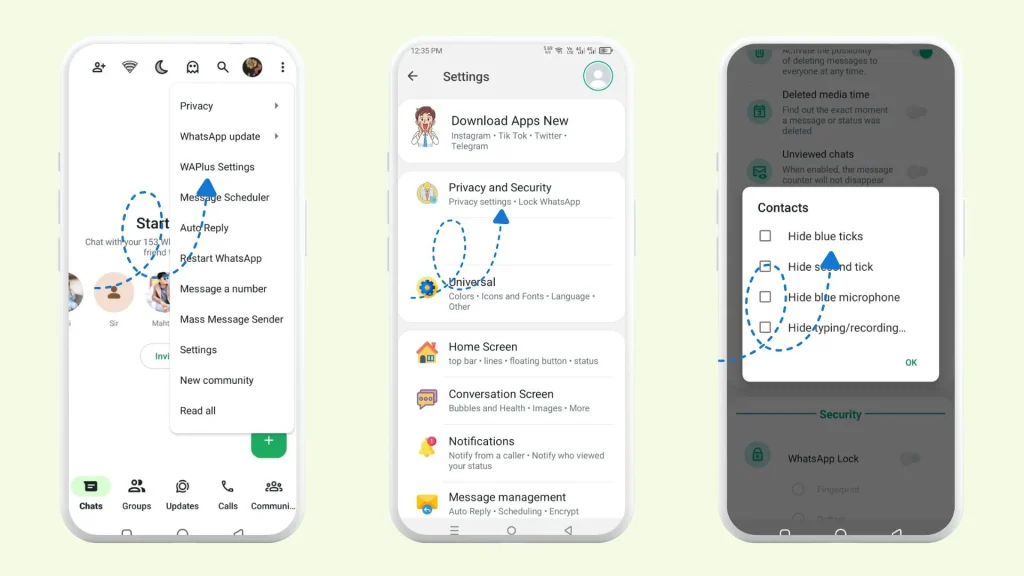
One of the biggest reasons users love WhatsApp Plus is its advanced privacy features. You can easily hide online status, typing indicators, and blue ticks without affecting your ability to see others’ activity. It gives you full control over your visibility, letting you chat on your own terms. This added layer of privacy builds real confidence among users who value discreet conversations.
Custom Themes and Interface Personalization
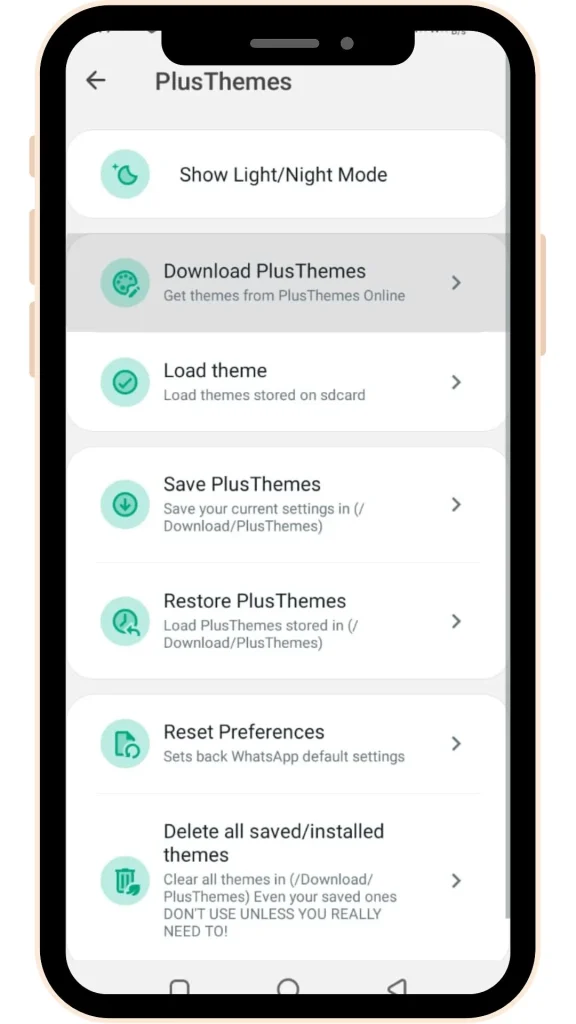
If you’re someone who gets bored with the same green layout, WhatsApp Plus themes are a breath of fresh air. The app allows you to customize your interface, download thousands of ready-made themes, or even design your own. This feature gives your chats a personal touch that reflects your style and mood — something the official WhatsApp can’t match.
Increased File Sharing Limits
Sharing large videos or HD photos is no longer a struggle with WhatsApp Plus. The app boosts file size limits, enabling users to send high-resolution media and documents effortlessly. This makes it an ideal choice for professionals, creators, and anyone who values smooth and unrestricted file transfers during daily communication.
Anti-Delete Messages and Status
One of the most-loved WhatsApp Plus features is the anti-delete option, which lets you read deleted messages and view removed statuses. No more guessing what someone erased from the chat. It’s a small but powerful feature that ensures you never miss important information, giving users a sense of control and continuity in conversations.
Advanced Media Sharing Controls
WhatsApp Plus gives users complete authority over their media sharing quality. You can manually control image resolution, compression levels, and even the number of files shared at once. This flexibility ensures that every photo or video retains its original clarity, a big win for anyone who values quality over quantity.
App Lock and Security Settings
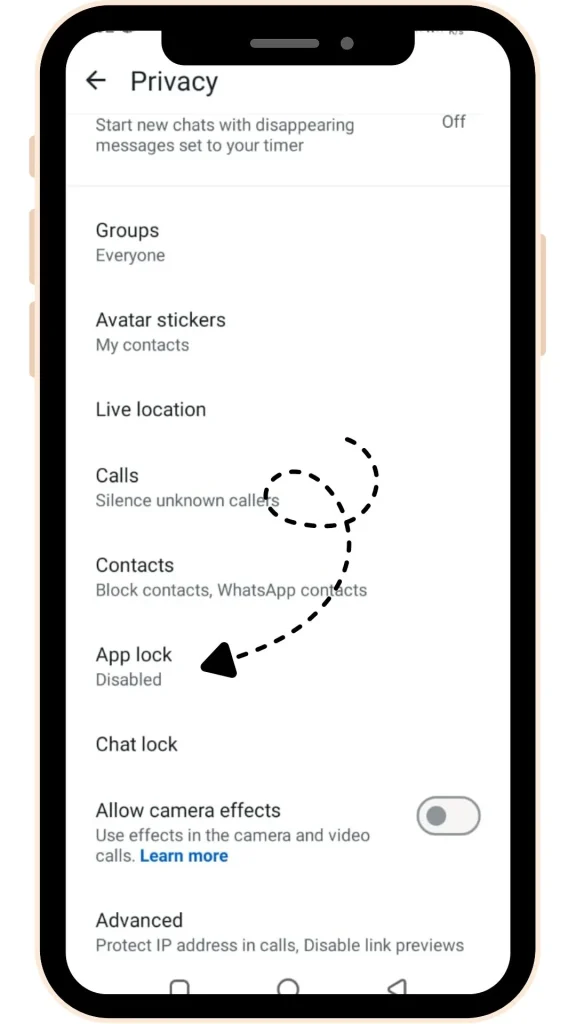
Security is another area where WhatsApp Plus truly shines. It includes an inbuilt app lock feature that protects your private chats without needing external apps. You can secure conversations with patterns, pins, or passwords, keeping your personal data safe and private. It’s a simple yet essential feature for today’s privacy-focused users.
Custom Emojis and Stickers
Messaging feels more expressive with WhatsApp Plus custom stickers and emoji. You get access to a wider collection of emoji styles, including packs that aren’t available on the official app. This makes every conversation more fun, colorful, and unique — a small detail that significantly enhances user engagement.
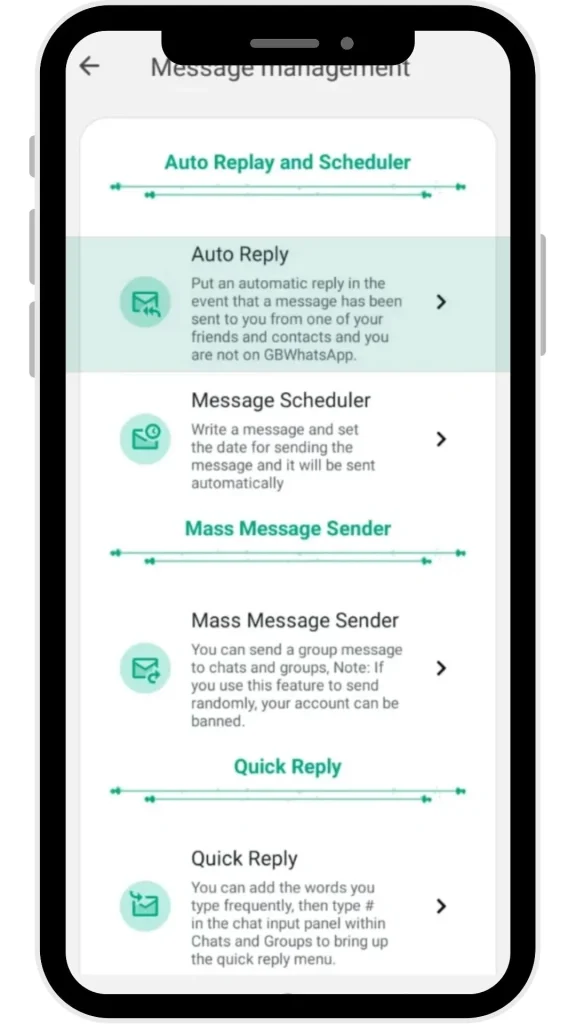
Auto-Reply and Schedule Messages
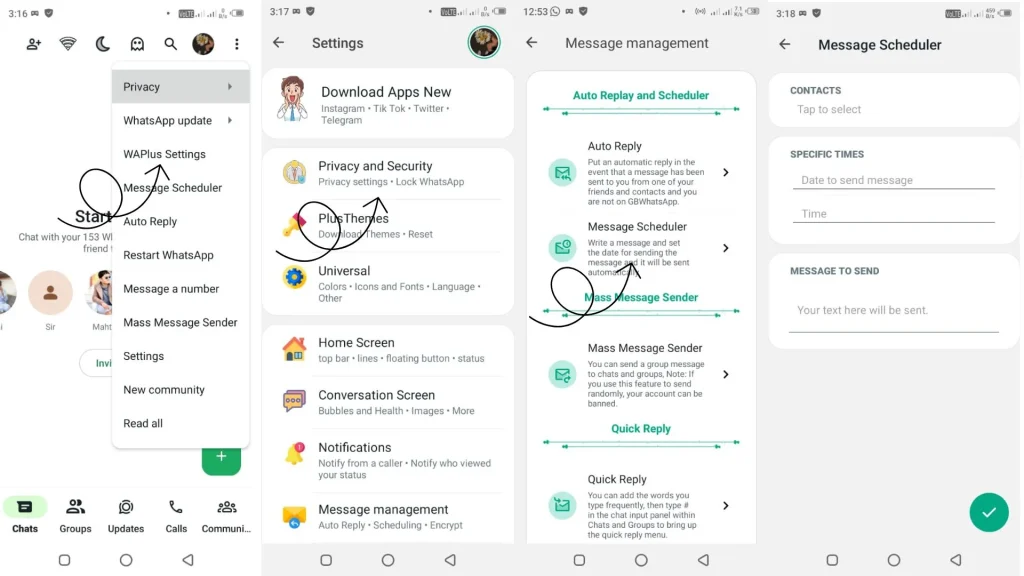
The auto-reply feature in WhatsApp Plus is a lifesaver for professionals, businesses, and busy users. You can set up custom replies or schedule messages in advance, ensuring you never miss an important follow-up. It’s one of those productivity-friendly features that make daily communication smoother and more efficient.
Hide Chats and Create Secret Conversations
For users who prioritize discretion, WhatsApp Plus allows you to hide chats or lock specific conversations with a password. This feature keeps sensitive chats protected from prying eyes while maintaining a clean and organized chat screen. It’s an excellent blend of privacy and convenience for those who prefer extra security.
Improved Group Controls and Admin Features
Managing large groups becomes easier with WhatsApp Plus group controls. Admins can fine-tune permissions, control who can send messages, and manage notifications more efficiently. This makes it perfect for community leaders, educators, and business teams who rely on WhatsApp groups for daily coordination.
My Favourite Features That I Use Mostly
- Enhanced Privacy Options – I love how WhatsApp Plus lets me hide my online status and blue ticks when I need quiet time. It’s perfect for days when I want to read messages without feeling pressured to reply instantly.
- Custom Themes – The ability to personalize the chat interface is something I can’t live without. I often switch between dark and pastel themes depending on my mood — it keeps the app fresh and exciting.
- Anti-Delete Messages – Have you ever seen a message disappear right after being sent? With WhatsApp Plus, that’s no longer an issue. I can still view deleted messages and never miss a thing in my chats.
- Auto-Reply Feature – This one’s a game changer when I’m busy. I’ve set up auto-replies for work hours so friends or clients instantly get a response, even when I’m away from my phone.
- App Lock – I really appreciate the built-in security lock. It adds an extra layer of protection without installing any third-party app — simple and effective for keeping private chats safe.
- Media Quality Controls – I often share high-quality photos and videos, and WhatsApp Plus makes it easy to send them without losing clarity. No more grainy or compressed images!
Final Thoughts
If you enjoyed exploring these amazing WhatsApp Plus features, don’t forget to check out our Features category for more helpful tech insights and app comparisons. We regularly share the latest updates, so make sure to bookmark our site WAPlusInfo and stay tuned for future posts on WhatsApp Plus updates, tips, and customization ideas. Whether you’re a casual user or someone who loves experimenting with new tools, this blog is here to keep you informed, safe, and ahead of the curve.
Also read:
- Backup and Restore WhatsApp Plus Chats (Complete Guide)
- How to Diasble Google Play Protect and Install WhatsApp Plus Safely?