Admin Control Features in WhatsApp Plus (2025 Guide)
Discover powerful Admin Control Features in WhatsApp Plus 2025 to manage groups smarter, safer, and more efficiently.
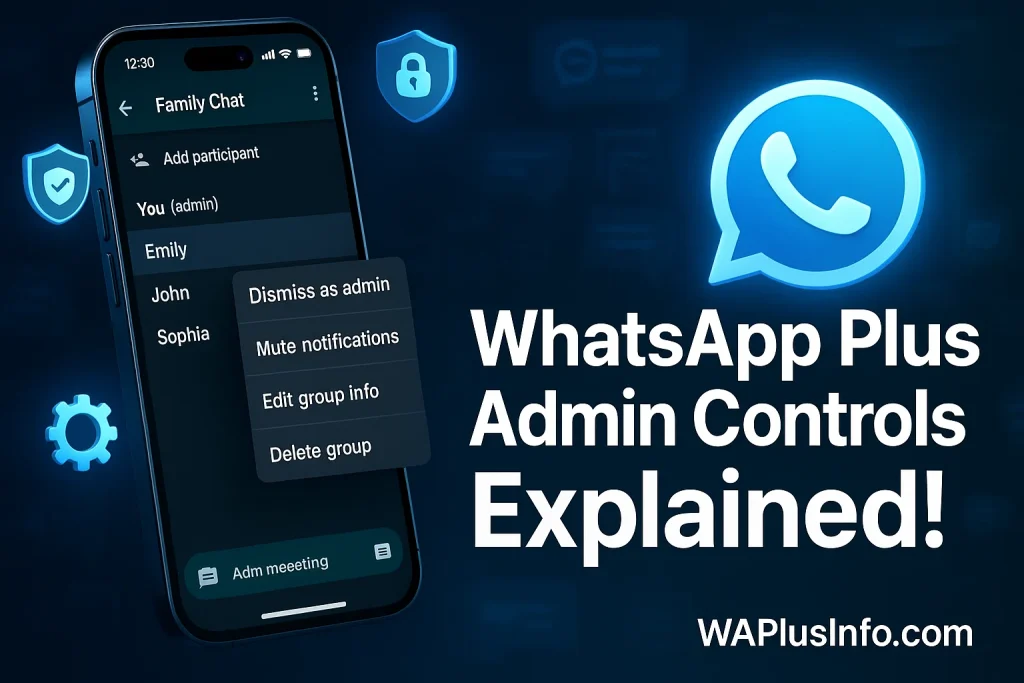
Managing groups can get messy, especially when hundreds of members are involved. That’s where the Admin Control Features in WhatsApp Plus come to the rescue. With enhanced privacy tools, message control, and custom permissions, admins now have full power to maintain order and keep conversations smooth. Whether you’re running a community, business group, or friend circle, these advanced tools give you the flexibility and authority that the official WhatsApp still lacks.
As someone who values security and smooth communication, you’ll appreciate how WhatsApp Plus admin features make group management effortless and stress-free. This app not only helps you protect your chats but also gives you professional-grade control over every member’s activity. Backed by user trust and continuous updates, WhatsApp Plus (WAPlus) has become a preferred choice for those who want smarter, safer, and more customizable group administration.
More features:
What Are Admin Control Features in WhatsApp Plus?
The Admin Control Features in WhatsApp Plus are special tools that give group admins more power to manage chats, members, and privacy settings with ease. Unlike the official WhatsApp, WhatsApp Plus offers advanced options like message moderation, custom member permissions, and anti-delete messages, allowing admins to keep everything organized and secure. These features are designed for people who want more control, less chaos, and a smoother group experience — whether it’s for work, study, or community discussions.
Key Admin Features in WhatsApp Plus
Enhanced Group Management Tools
One of the biggest reasons users love WhatsApp Plus is its enhanced group management tools. Admins can now add or remove members easily, giving them complete flexibility over who stays and who leaves. The ability to approve new join requests manually adds an extra layer of control, especially for private or professional groups. This feature ensures that only trusted members enter the chat, reducing spam and unwanted interruptions. It’s perfect for those managing large communities who want both security and convenience without the stress of random entries or group chaos.
Advanced Privacy Settings for Admins
Privacy has become a priority for every group admin, and WhatsApp Plus takes it to the next level. With advanced privacy settings, admins can now hide their admin status and control who can message or mention them directly. This not only protects your identity but also keeps your focus on managing the group without unnecessary distractions. Whether you’re leading a group study groups, fan community, or business network, these features allow you to operate confidently while maintaining a sense of personal privacy that’s missing in the official app.
Message Control and Moderation
The message control and moderation features in WhatsApp Plus give admins total authority over what gets shared. You can delete or edit messages for everyone anytime, even long after they’re sent. For active groups, the option to set message time limits or restrictions helps maintain order and keeps conversations on topic. This feature is a game-changer for admins who want to keep their groups clean, organized, and free from spam or inappropriate content. It reflects professional moderation tools that most messaging apps still fail to offer. You can also control your messages by using Auto-Reply and Schedule Messages in this modified app to enhance your messages experience.
Media and File Sharing Controls
When it comes to managing storage and spam, the media and file sharing controls in WhatsApp Plus make a huge difference. Admins can limit media sharing per member to avoid unnecessary clutter or misuse. You can also enable or disable auto-download in groups, ensuring that large files don’t overload everyone’s devices. These tools help maintain smooth communication while keeping things light and efficient, especially in professional or academic groups where only relevant media should be shared.
Custom Group Permissions
With custom group permissions, WhatsApp Plus lets admins fine-tune every aspect of group control. You can assign multiple admins with specific roles, ensuring smooth management even in large communities. This prevents confusion and divides responsibilities among trusted members. Additionally, you can restrict members from changing group info or icons, protecting your group’s identity and theme. It’s the perfect blend of teamwork and authority, giving admins the ability to build a stable, well-managed space that reflects their vision.
Broadcast and Announcement Mode
The broadcast and announcement mode in WhatsApp Plus transforms ordinary chats into organized communication channels. This mode allows admins to send one-way messages, meaning members can read but not reply — perfect for updates, announcements, or community alerts. It’s especially helpful for business groups or large audiences where clarity and professionalism matter most. By turning your chat into an information hub, you ensure messages are delivered efficiently without distractions or clutter.
Anti-Delete Messages Feature
The anti-delete messages feature in WhatsApp Plus is a favorite among admins who value transparency. It allows you to view deleted messages sent by members, helping you keep track of conversations and detect suspicious activity. This feature ensures that nothing goes unnoticed, which is vital in larger or sensitive groups. Whether someone deletes an important message or tries to hide information, admins can still access it. It’s a powerful tool for monitoring, safety, and accountability, making group management smarter and more reliable.
Benefits of Using Admin Controls in WhatsApp Plus
- Improved Security and Moderation
WhatsApp Plus gives admins strong tools to keep chats clean and safe. You can delete spam, block unwanted users, and see deleted messages for full control. - More Professional or Community-Focused Management
With custom permissions and broadcast options, admins can run groups smoothly. It helps build a more organized, professional, and focused community. - Easier Handling of Large Groups
Managing big groups becomes effortless with flexible member control and role-based access. WhatsApp Plus makes group management simple, stable, and stress-free.
Conclusion
In short, the Admin Control Features in WhatsApp Plus give group admins the freedom, flexibility, and authority they’ve always wanted. From advanced privacy settings to message moderation and custom permissions, every tool is built to make group management smoother and safer. Whether you’re handling a small team or a large community, WhatsApp Plus helps you create a secure, well-organized space where communication flows easily and distractions stay out. It’s not just an upgrade—it’s a smarter way to manage your groups with confidence and control. For more guides, features and troubleshooting tips just stuck with us, for more information you can also see our website WAPlusInfo.com.
For more guide also read: